An Ermis battery has a small computer built in, connected to the battery's BMS and to your network over Ethernet or Wi-Fi. It reports to Batterieslab over the internet, so you can watch it from anywhere: in Battery Monitor and on Ermis Cloud, the website at cloud.batterieslab.gr.
Ermis Cloud is free for every owner of an Ermis battery. It is view-only: nobody can change the battery through it.
How it works
- Every minute, the battery sends a reading that is kept as its history.
- While someone watches it in Battery Monitor or on Ermis Cloud, it also sends live readings, every second. These are shown, not stored. When the last viewer leaves, it stops.
- The battery proves who it is with its key: a secret code only you, as the owner, can see.
First setup
Register the battery
Register the Ermis battery to your account in Battery Monitor. Only the registered owner can request Ermis Cloud.
Request Ermis Cloud access
In Battery Monitor, open the battery's menu (⋯) and tap Request Ermis Cloud access, then Send request. While Batterieslab reviews it, the row says Ermis Cloud access requested.
Wait for the approval
You get a notification and an email when we decide. If we decline, the app shows the reason and you can Request again.
Get the key
Open ⋯ → Ermis Cloud key. The app shows the key, with Share to send it to yourself or to a computer.
Enter the key in the battery's settings page
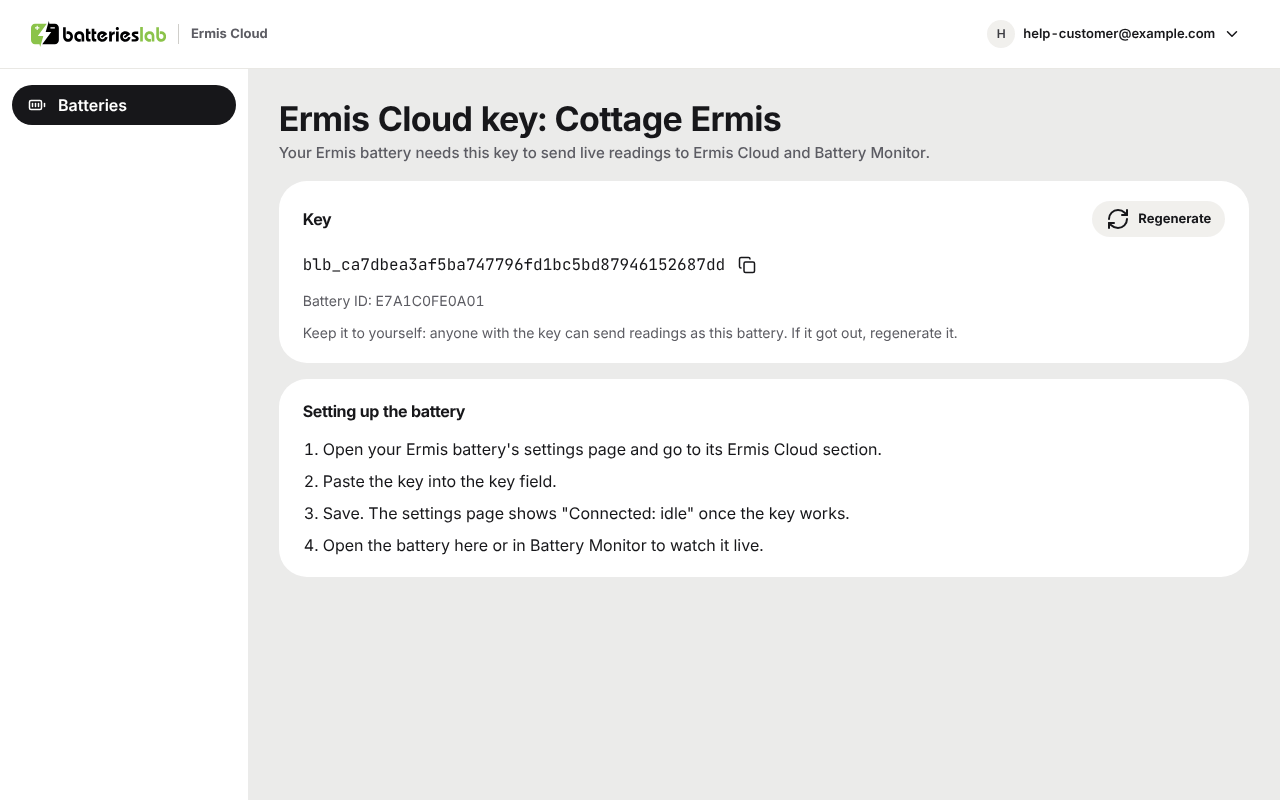
Open your Ermis battery's settings page and go to its Ermis Cloud section. Paste the key into the key field and save. Once the key works, the settings page shows Connected: idle. The settings page is open to whoever set the battery up: if your installer did, send them the key, or ask them to show you the page.
Watch it live
Tap the battery under Over the internet in Battery Monitor, or open it on Ermis Cloud.

The key
The key is a long code starting with blb_. Keep it to yourself: anyone with the key can send readings as your battery.
You can see it again at any time in Battery Monitor (⋯ → Ermis Cloud key) or on Ermis Cloud's key page, which the battery's settings page links to. If it got out, tap Regenerate: the old key stops working at once, and the battery stops sending until you enter the new key in its settings page.
When the battery changes owner, its key stops working and the new owner requests Ermis Cloud access again.
Ermis Cloud
Sign in at cloud.batterieslab.gr with the account you use in Battery Monitor: email and password, Google, or Apple. There is no separate sign-up.
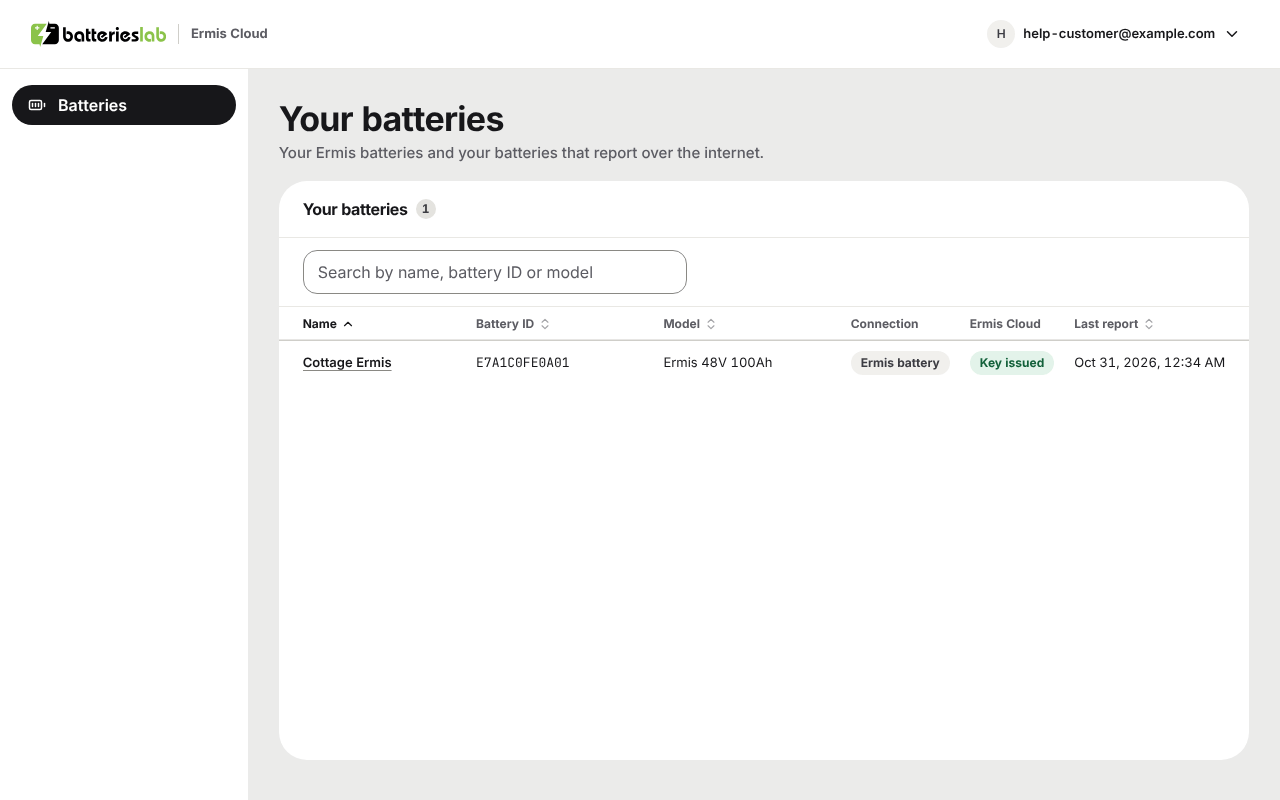
- Your batteries lists your Ermis batteries and your other batteries that report over the internet, with their Ermis Cloud status and their last report.
- A battery's Live page shows the state of charge, voltage, current, remaining and full capacity, each cell, temperatures, cycles, the charge and discharge MOSFETs and any active faults.
Batteries with an IoT bridge
Some batteries have a Batterieslab IoT bridge instead: it reports a reading about every minute, but has no live view. They appear under Over the internet in Battery Monitor and in Ermis Cloud's list. Their key is set up by Batterieslab.