A support case is a conversation with Batterieslab about one of your batteries. Open one for a warranty claim, an alarm that keeps coming back, or any question about your battery.
Open a case
Start from the battery or from Settings
On a registered battery you own, tap ⋯ → Warranty request. Or open Settings → My cases and tap +.
Fill in the request
Choose the Battery, write a short Subject, and describe the problem in Message: what happened, when, and what the app showed.
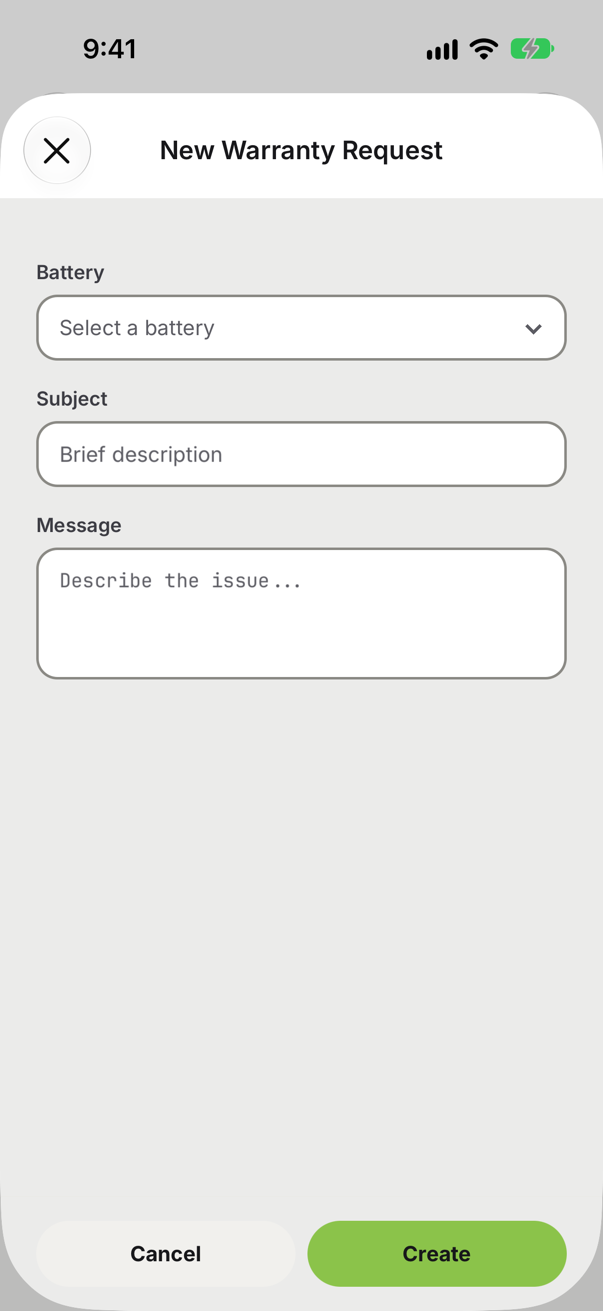
New Warranty Request Tap Create
The case gets a number such as CASE-2026-0042. We are told at once.

You need to be signed in with an account, and the battery must be registered to you. If you bought it second-hand, take it over first.
Follow and reply
Settings → My cases lists your Open Cases and Closed Cases. Open a case to see the conversation.

- Type in Type a message... and send.
- Add pictures with Take a photo or Attach photos: photos (JPEG, PNG, HEIC, WebP) and PDF files, up to 20 MB each. A photo of the battery, its label or the installation often saves a round trip.
- Replies from Batterieslab, and from your installer or dealer if they follow the battery, show as Support.

You get a notification for every reply (see Notifications); we don't email case replies.
Close a case
When your question is answered, tap Close case. A closed case can't be reopened or answered: if something comes up again, open a new case.
A closed case and its messages and photos are deleted 5 years after it was closed.