The partner portal, at portal.batterieslab.gr, is for Batterieslab's partners and installers: the batteries you sold or installed, their customers, support cases, and for partners the catalogue, quotes, offers and orders.
Getting access
Your partner administrator, or Batterieslab, invites you by email.
Open the invitation
The link in the email opens Accept invitation. An invitation is valid for 14 days.
Sign in or create an account
Sign in with the invited email address. New to the portal? Choose Create an account: a password of at least 8 characters with letters and digits, then confirm your email.
Accept
Tap Accept invitation. You're now a member of the partner account.
The portal signs in with email and password only. Forgot password? sends a reset link.
Roles
| Role | Can |
|---|---|
| Partner admin | Everything a partner user can, plus invite and remove people and change their roles, and accept or reject offers. |
| Partner user | See the account's batteries, customers and cases; answer and close cases; assign installers; request snapshots; use the catalogue, quote requests, offers, orders and proformas. |
| Installer | See only the batteries assigned to them, and their cases; open, answer and close cases on them; request snapshots. |
An account always keeps at least one partner admin.
Batteries
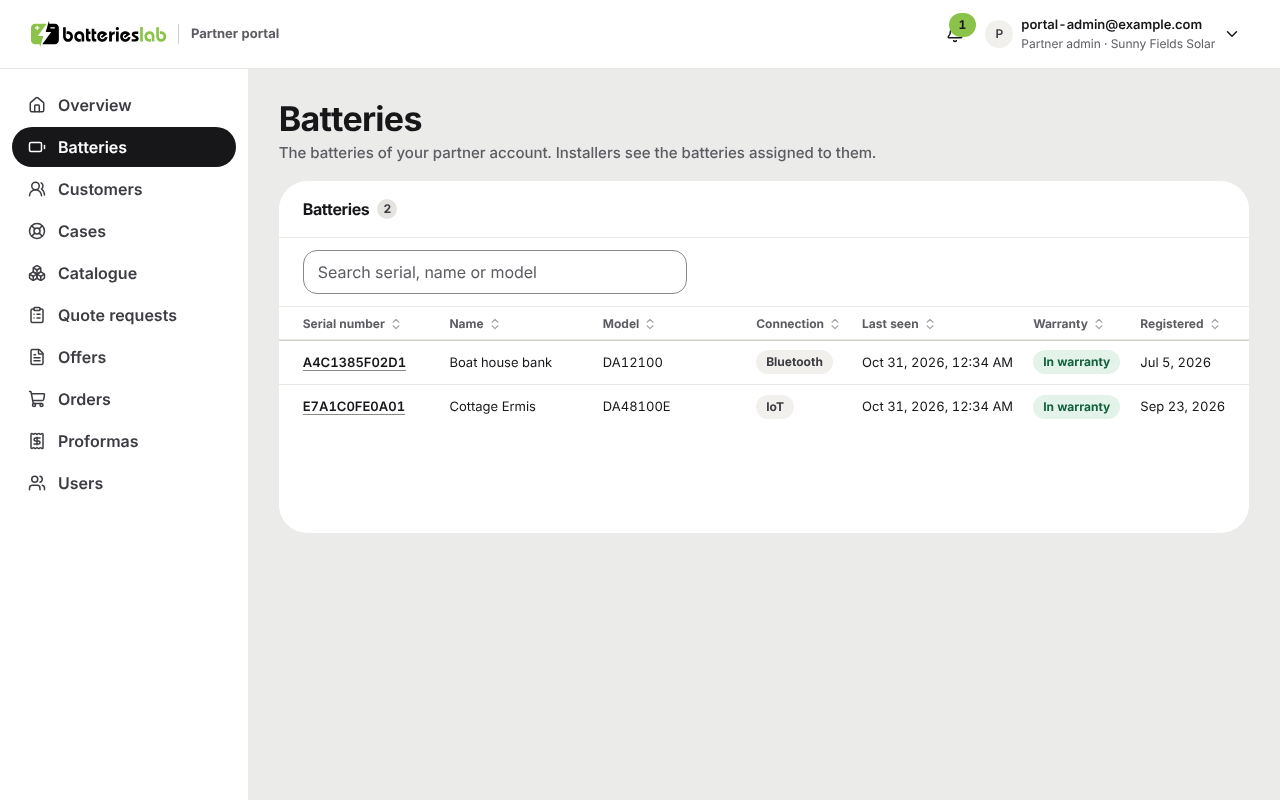
Batteries lists the batteries of your account: serial number, name, type, connection (Bluetooth or IoT), when it was last seen and when it was registered. A battery's page shows its details, its Live state from the latest reading, recent events and daily statistics.
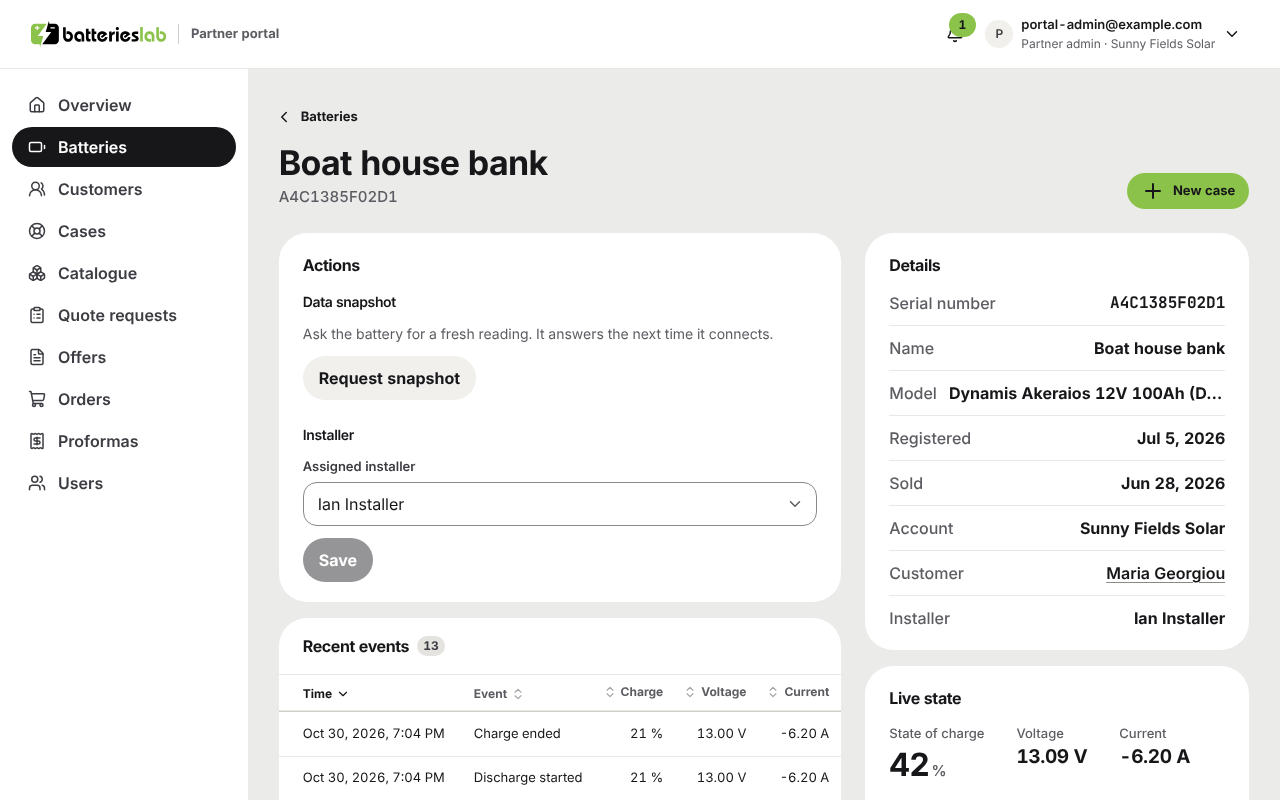
- Request snapshot asks the battery for a fresh reading: a Bluetooth battery answers the next time its owner's Battery Monitor connects to it, an IoT battery on its next report.
- Partner admins and users choose the battery's Assigned installer.
Customers register their batteries themselves in Battery Monitor; partners don't register or edit batteries.
Cases
Cases shows your account's support cases, Open, Closed or All. Open a case to read and answer it; the customer and Batterieslab support see your replies. New case opens one on a battery of your account, and notifies Batterieslab, your account's partners, the battery's installer and its owner.
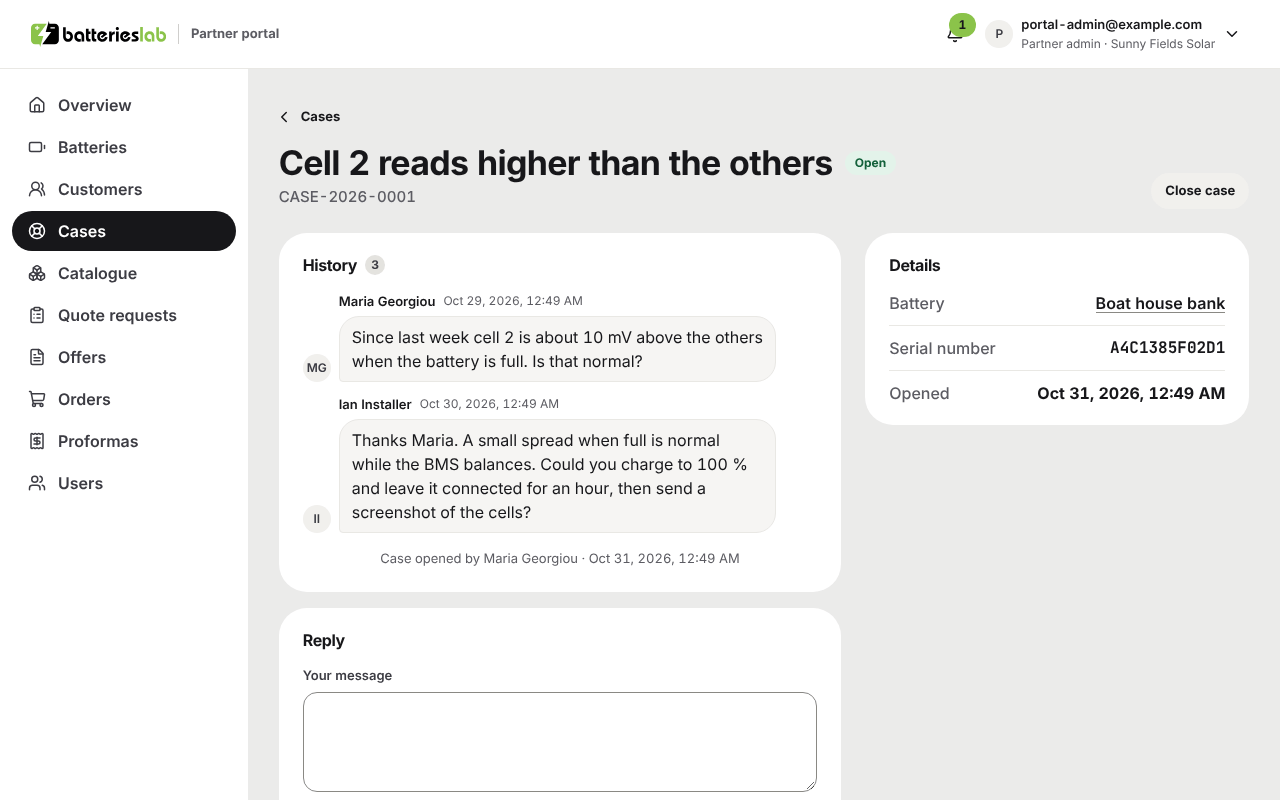
A closed case can't be reopened or answered. The portal doesn't show case attachments yet.
People
Partner admins manage the account's members under Users: Invite someone with an email and a role, change roles, or remove a member. Removing an installer unassigns them from the account's batteries.